

Installation#
PyCFAST requires Python 3.10 or later and a working installation of CFAST itself. It is tested against CFAST 7.7.4 through 7.7.7. Versions below 7.7.4 might work but are not guaranteed to be fully compatible.
1. Install CFAST#
CFAST is developed and distributed by NIST, independently of PyCFAST. Install it for your platform below,
then make sure cfast is available in your PATH.
Download and run the official installer from the
NIST CFAST downloads page — older
versions are available as .exe assets on the
CFAST releases page.
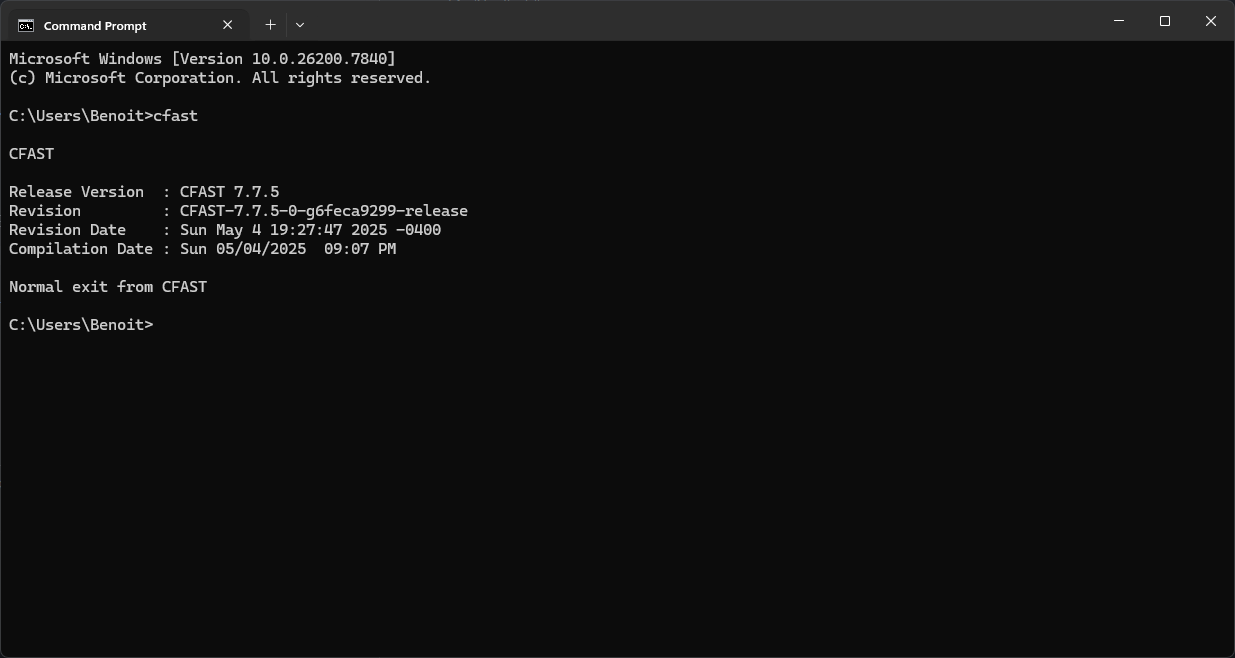
Open a command prompt and run cfast to verify that it is on your PATH.
You should see the CFAST version information.
NIST does not publish pre-built Linux binaries, so CFAST must be compiled from source with gfortran.
See the Compiling CFAST wiki page for full
details:
# 1. Install a Fortran compiler
sudo apt-get install gfortran        # Debian/Ubuntu
# sudo dnf install gcc-gfortran      # Fedora/RHEL

# 2. Clone the CFAST source, pinned to the release tag you want (e.g. CFAST-7.7.7)
git clone --depth 1 --branch <CFAST_TAG> https://github.com/firemodels/cfast.git
cd cfast/Build/CFAST/gnu_linux

# 3. Build the executable
chmod +x make_cfast.sh
./make_cfast.sh

# 4. Install it on your PATH
sudo cp cfast7_linux /usr/local/bin/cfast
sudo chmod +x /usr/local/bin/cfast
Note that CFAST 7.7.5 or later is required on Linux. If the build fails, the compiler and
flags for each platform target are defined in Build/CFAST/makefile. Adjust them there to
match your machine.
NIST does not publish pre-built macOS binaries, so CFAST must be compiled from source with gfortran.
See the Compiling CFAST wiki page for full details:
# 1. Install a Fortran compiler
brew install gcc

# 2. Clone the CFAST source, pinned to the release tag you want (e.g. CFAST-7.7.7)
git clone --depth 1 --branch <CFAST_TAG> https://github.com/firemodels/cfast.git
cd cfast/Build/CFAST/gnu_osx

# 3. Build the executable
chmod +x make_cfast.sh
./make_cfast.sh

# 4. Install it on your PATH
sudo cp cfast7_osx /usr/local/bin/cfast
sudo chmod +x /usr/local/bin/cfast
Note that CFAST 7.7.6 or later is required on macOS. If the build fails, the compiler and
flags for each platform target are defined in Build/CFAST/makefile. Adjust them there to
match your machine.
2. Set up a Python environment#
It is recommended to install PyCFAST inside a virtual environment. Create one with venv or conda:
Python 3 is usually installed by default on Linux. On macOS install it with
brew install python or from the
official website. Then create a
virtual environment from the terminal and activate it:
python -m venv .venv
source .venv/bin/activate
Install the 64-bit version of Python 3 from the official website. Then create a virtual environment from the command prompt and activate it:
python -m venv .venv
.venv\Scripts\activate
Miniforge is the recommended way to install
conda. Then open the terminal and create a new environment and activate it:
conda create -n pycfast python=3.14
conda activate pycfast
3. Install PyCFAST#
With the environment activated, install PyCFAST from PyPI or conda-forge:
PyCFAST is available on PyPI:
pip install pycfast
PyCFAST is available on the conda-forge channel:
conda install -c conda-forge pycfast
To install the latest development version, clone the repository and install it:
git clone https://github.com/bewygs/pycfast.git
cd pycfast
python -m pip install .
4. Configure the CFAST executable#
If CFAST is installed in a non-standard location, you can specify its path in three ways:
1. Environment variable (shell)
export CFAST="/path/to/your/cfast/executable"
set CFAST="C:\path\to\your\cfast\executable"
$env:CFAST = "C:\path\to\your\cfast\executable"
2. Environment variable (Python)
import os

os.environ['CFAST'] = "/path/to/your/cfast/executable"
3. Directly when defining the CFASTModel
from pycfast import CFASTModel

model = CFASTModel(
    ...,
    cfast_exe="/path/to/your/cfast/executable"
)